
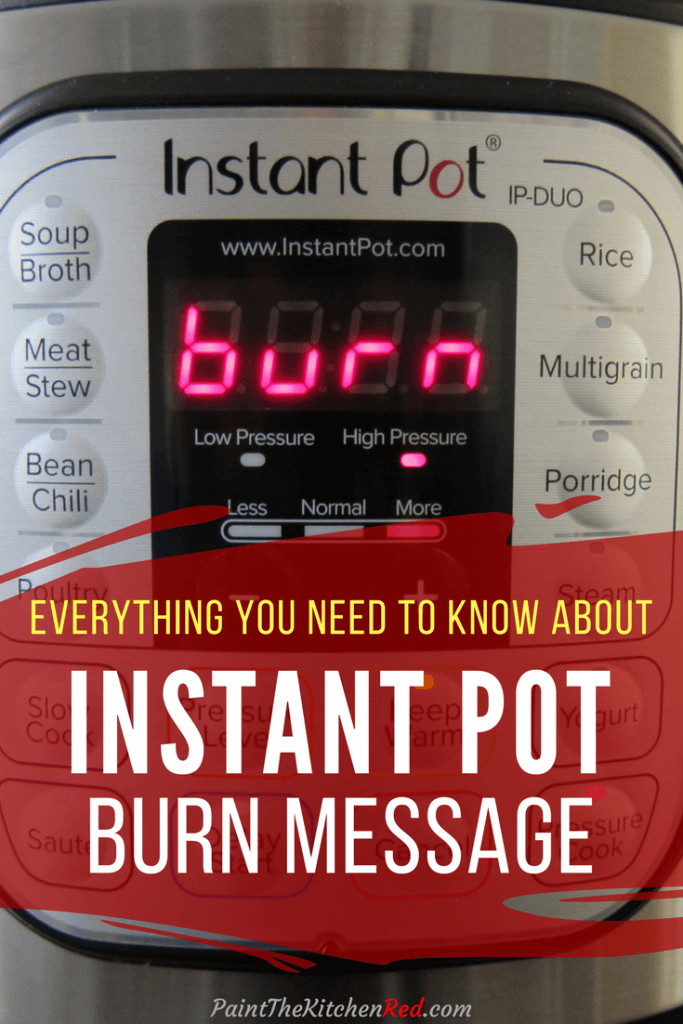
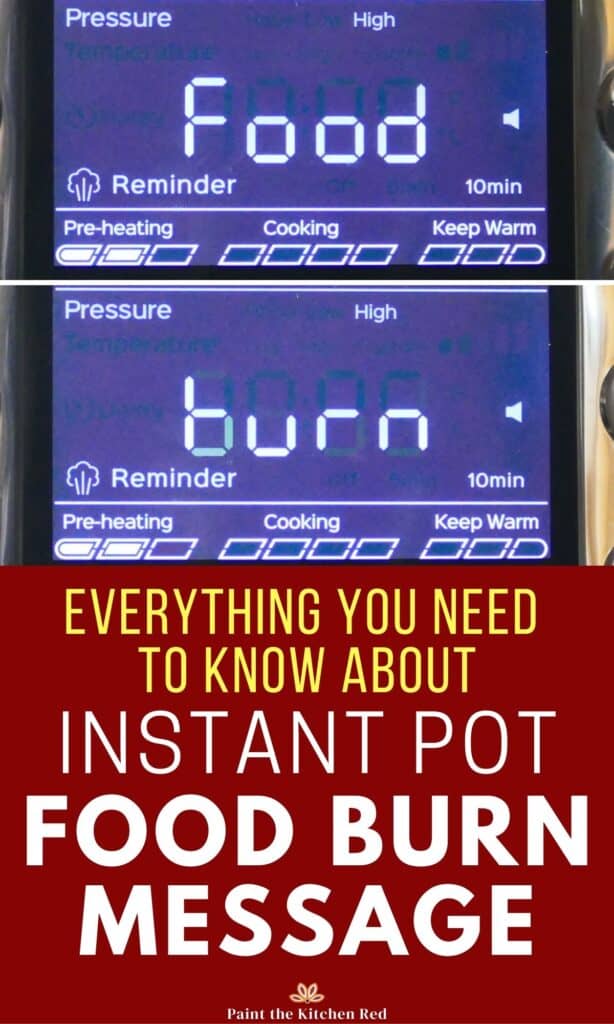
The Instant Pot burn message (Burn, Food Burn or OvHt on the display) means the bottom of the inner pot got too hot, so your Instant Pot stopped heating to keep the food from scorching. Press Cancel, release any pressure, scrape the inner pot clean, add a little more thin liquid and start again. Most of the time it comes down to food stuck to the surface of the inner pot, not enough thin liquid, or a thick sauce sitting right at the bottom, without circulating.
This post contains affiliate links. As an Amazon Associate, I earn from qualifying purchases. Please read the disclosure.
ℹ️ Introduction
I’ve had my share of burn messages over the many years I’ve been using the Instant Pot. I rarely get them now, but they do still happen once in a while.
The very first Instant Pots didn’t have a burn message at all. The original Lux model just kept counting down with the float valve down. The Instant company added burn protection later, and newer models show the message much more frequently.
This is the reason some online recipes trigger the error, even when you follow them exactly. They were written for and tested on older models, and were never updated for the new models.
➡ Learn more about other Instant Pot error codes and how to solve them!
🔥 What Does Burn Mean on an Instant Pot?
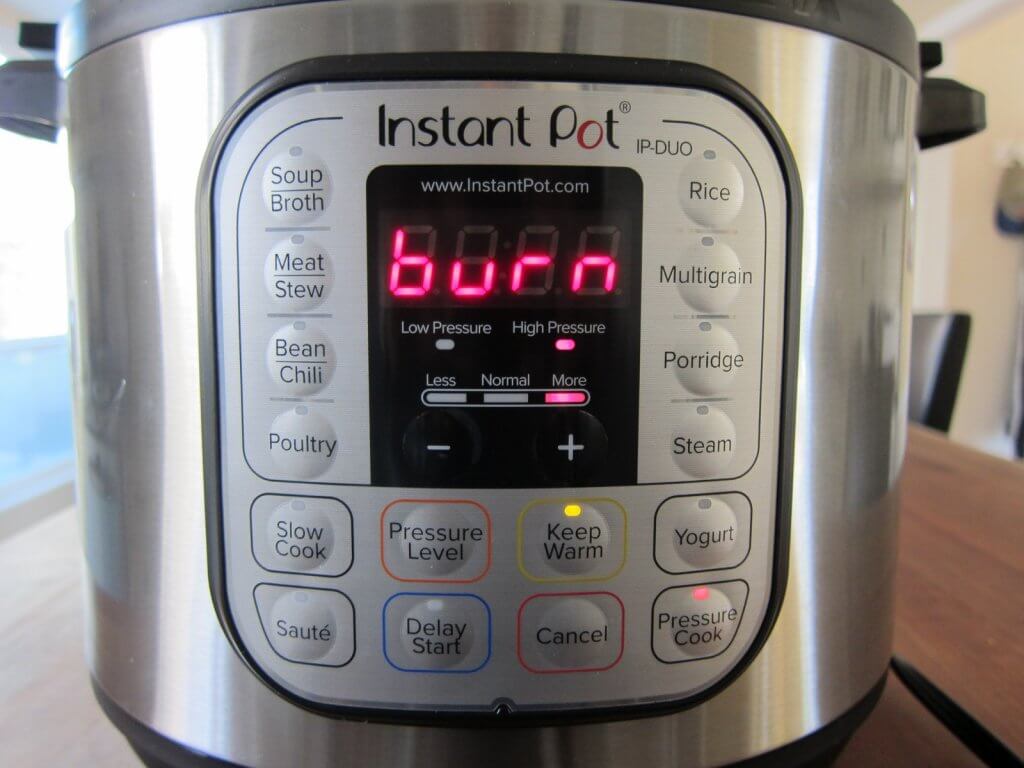
The Instant Pot has over a dozen safety mechanisms, and one of them is a burn-protection sensor that tracks the temperature at the bottom of the inner pot.
When it gets too hot, your Instant Pot stops heating, beeps and shows Burn, Food Burn or OvHt, depending on the model. On some models the display alternates between Food and Burn. Whether you call it the burn notice, the burn warning or the burn code, it’s the same message.
The error can also show up partway through the cooking time when the float valve is already up. However, it usually shows up before your Instant Pot reaches pressure, and the float valve never comes up.
Although it might seem scary, it’s actually a good thing. The burn message protects you and your food. It stops the cooking so you can fix the problem and carry on.
The Hot display message often gets mistaken for the food burn error, but it isn’t an error. It means Sauté has preheated and is ready for food, so it’s nothing to worry about.
If you have another brand of electric pressure cooker, most of the causes and fixes on this page apply to its burn warning too. The wording on the display may be different.
🛠️ What to Do When Your Instant Pot Says Burn
You can usually save your meal. Work through these steps in order.
- Press Cancel to turn off your Instant Pot.
- If the float valve is up, do a quick release.
- Open the lid and lift out the inner pot. It will be very hot, so use silicone gloves. Place the inner pot on a heat-resistant surface.
- Let the base cool down for a few minutes.
- If nothing is stuck to the bottom of the inner pot, add more water or broth. Lift the food with a spatula so the liquid gets underneath it.
- If there’s burnt food on the bottom:
- Transfer the food to a large bowl, leaving the burnt parts behind.
- Scrape out the burnt food and clean the inner pot so nothing is stuck to the bottom (see how to clean a scorched inner pot).
- Add enough liquid to replace what evaporated, plus another ½ to 1 cup.
- Return the food to the inner pot.
- Close the lid and start pressure cooking again. Set the time based on how done the food already is. If it cooked for a while before the burn message, it won’t need the full time again. For example, if it’s half cooked, reduce the cook time by half.
- If there’s too much liquid at the end, reduce it in Sauté mode with the lid off.
- Then figure out what caused it (below), so it doesn’t happen next time.
🔍 Why Your Instant Pot Says Burn
These are the causes I see most often, starting with the most common one.
Food Stuck to the Bottom After Sauté
This is the number one cause, and the number one fix is making sure nothing is stuck to the bottom of the inner pot. When you use Sauté before Pressure Cook, food caramelizes and sticks. Once you start pressure cooking, those bits scorch even more, the sensor picks up the heat and you get the burn message.
After sautéing, deglaze the inner pot. Pour in some hot water or broth and scrape the bottom with a hard spatula, not a flexible silicone one. Get every last bit of fond (the browned bits) off the bottom. They’ll mix into the dish and add flavor. If it won’t come clean, empty the food out and scrub the inner pot before you proceed.
If you deglaze with a lot of liquid that you already measured out for the recipe, check that you still have the quantity that the recipe calls for.
Turn Sauté down to a lower setting so food doesn’t stick as much in the first place.
If your Instant Pot gives you the burn message every time you sauté first, your Instant Pot may be extra-sensitive. Brown the food separately in a skillet on the stove and add it to the Instant Pot.
Not Enough Thin Liquid
Pressure cookers build pressure from steam, and steam needs thin liquid. Without enough of it, your Instant Pot can’t come to pressure and the bottom overheats.
Add at least the minimum amount of thin liquid (water or broth) for the size of Instant Pot you’re using.
- 3 quart: 1 cup
- 6 quart: 1 ½ cups
- 8 quart: 2 cups
- 10 quart: 2 ½ cups
Canned tomato products and thick sauces don’t count toward the minimum, because they’re too dense. When you add the liquid, make sure it gets underneath any food that’s already in the inner pot.
Recipes written for a smaller Instant Pot. If a recipe was tested in a 6-quart and you’re using an 8-quart, there may not be enough liquid for the bigger one to come to pressure. Either double the recipe or add an extra ½ to 1 cup of liquid. Keep the cooking time the same.
Instant Pot Rio. Compared side by side, the Rio gives the burn message more often than other models. Add more liquid than the recipe calls for and follow the advice on this page extra carefully.
Tomato Paste, Flour, Spices and Thick Sauces
Tomato paste, flour and a large quantity of dry powdered spices (such as for mole) are the ingredients I see behind the burn message most often.
Thick liquids like tomato sauce, condensed soups such as cream of chicken, and thick sauces like Alfredo or mole cause it too. Some of these contain fillers like cornstarch, flour or cheese, which scorch easily. Dairy like cheese and heavy cream can do the same.
Tomato sauces are a problem because they’re too thick for the liquid to circulate. Sugar from the tomatoes settles on the bottom and starts to burn, the sensor registers the higher temperature, and here comes the burn message.
I hear about issues with chili and pasta sauces more than anything else.
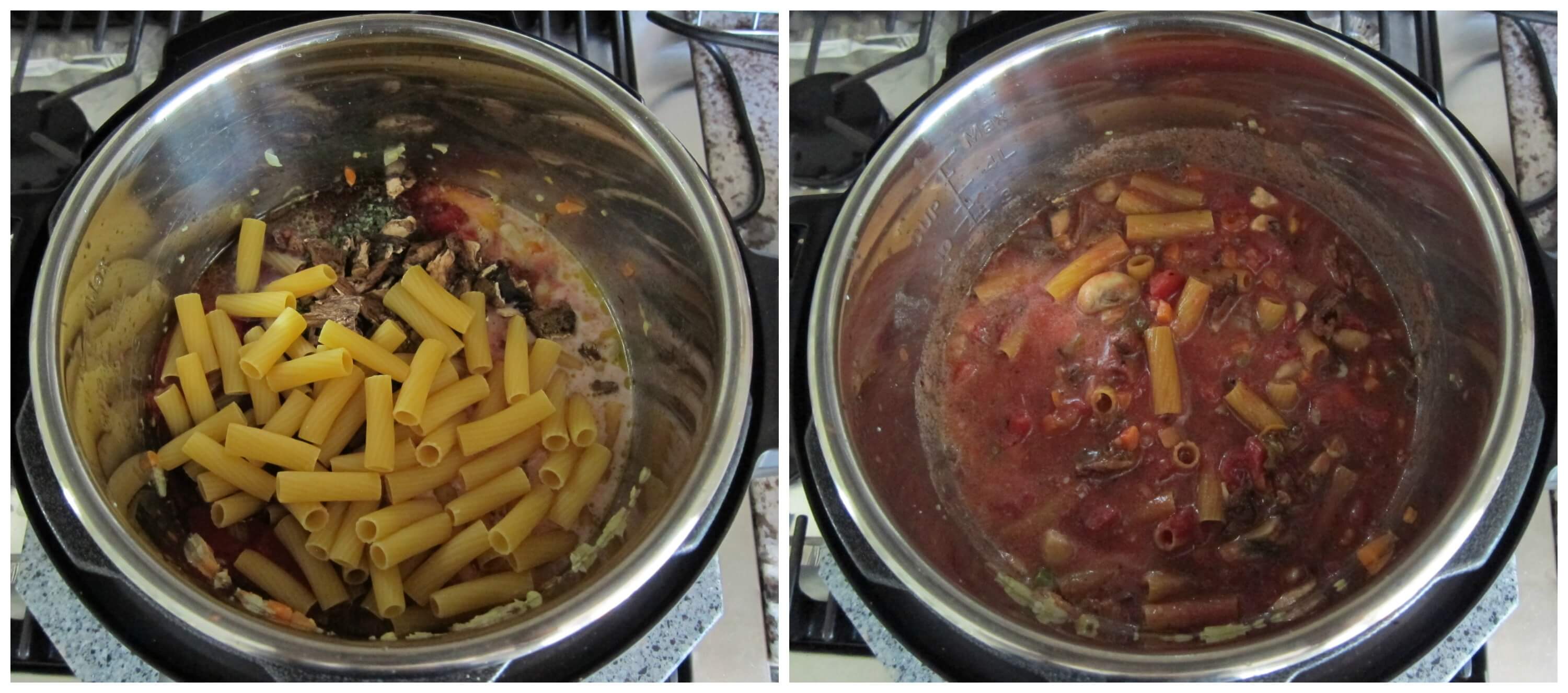
Take a look at this Instant Pot vegetarian pasta to see how I’ve layered the ingredients. Add them in this order:
- First, add liquid such as water or broth.
- Next, add vegetables and meats.
- Next, add any pasta, rice or other starchy ingredients, and push them down gently with a large spatula so they’re covered by the liquid. Don’t stir!
- Finally, add any dense ingredients like tomato sauce or tomato paste on top, and don’t stir.
- Close the lid and pressure cook as directed.
With a tomato sauce, this method is worth trying:
- Heat the sauce in a pot on the stove first.
- Pour it into your Instant Pot and heat it on Sauté, stirring and scraping the bottom the whole time.
- Make sure there’s nothing stuck to the bottom and then close the lid and pressure cook.
It’s common to thicken dishes like soups with flour or cornstarch. You can still use them, but add them after pressure cooking and heat through in Sauté mode. Stirring them in before you pressure cook can give you the burn message.
Rice and Pasta
Starches like rice and pasta soak up liquid and settle on the bottom. Rinse rice before you cook it. It washes off the extra starch, which helps prevent the burn message. Push pasta down so it’s covered by the liquid, but don’t stir it into the sauce (see the layering order above).
Frozen Meat With Tricky Ingredients
Frozen meat takes longer to heat up. If tomato, flour or other tricky ingredients are in with it, they start burning on the bottom before the meat heats through. Keep the thin liquid on the bottom and the tricky ingredients on top, or stir them in after pressure cooking.
It Never Came to Pressure (Stuck on Preheating)
If your Instant Pot sat on On or Preheating for a long time and then said Burn, it probably never sealed. Steam escaped, the liquid boiled off and the bottom overheated. Check these:
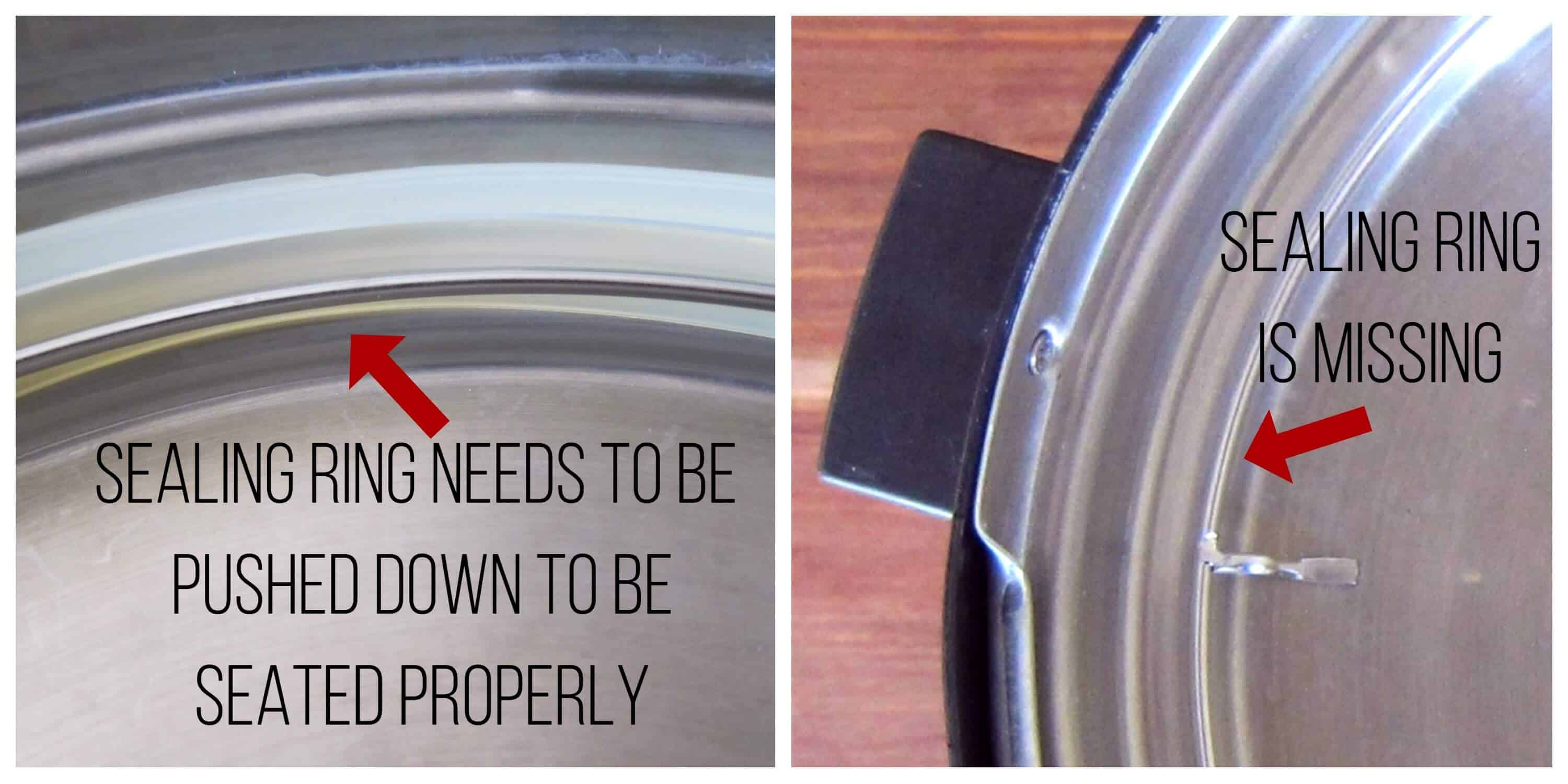
Sealing ring. If the sealing ring is missing or isn’t pushed in all the way, steam leaks out around the lid. Make sure it’s in place and pushed in every time you use your Instant Pot.
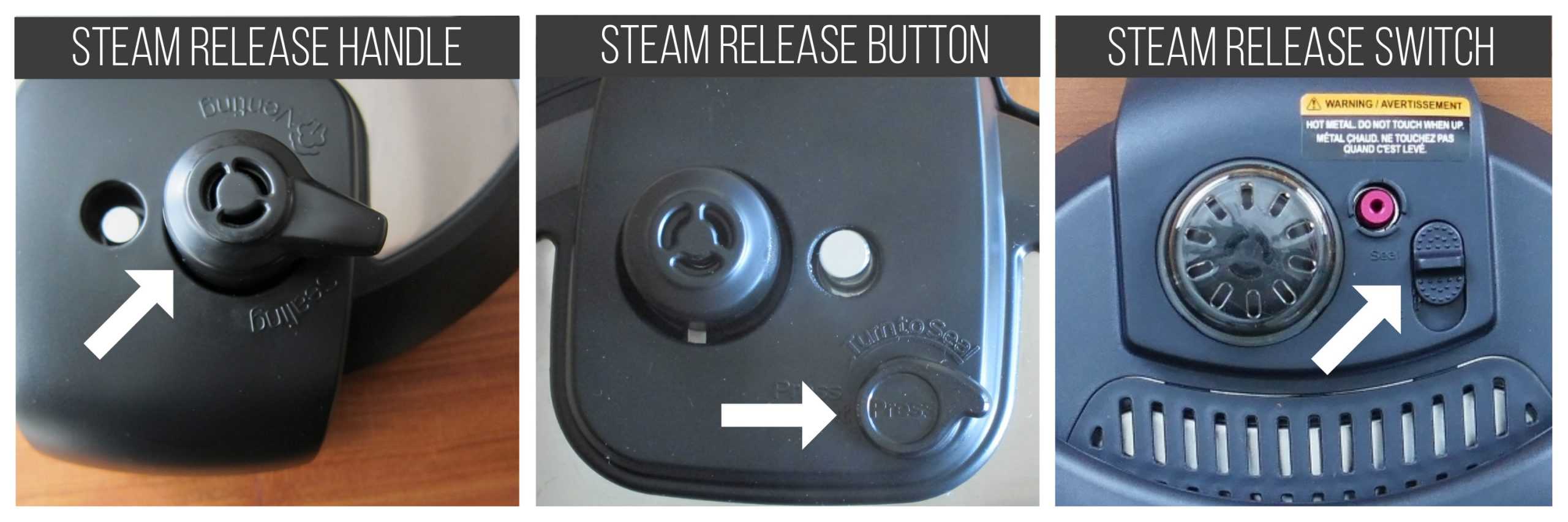
Steam release on Venting. Different models release steam with a handle, a button or a switch. If the steam release is on Venting, steam leaks out the whole time. Set it to Sealing before pressure cooking.
Steam release not pushed down. On models with a removable steam release valve, push it back down until it clicks into place after you wash it.
Orange pull tab. On models with the large gray Whisper steam cover, remove the orange pull tab underneath it. Your Instant Pot won’t seal while it’s there.
Hard water. Calcium deposits on the steam release valve can keep it venting, so your Instant Pot never comes to pressure. Clean the parts thoroughly and scrub the hard water deposits.
Float valve. Food on the float valve, or a worn float valve cover, lets steam leak out.
My guide to why your Instant Pot isn’t sealing covers every cause in detail.
Something Under the Inner Pot
Look in the base before you put the inner pot in. A stray piece of food, a sticker or packaging from a new box, or anything else between the inner pot and the heating element will overheat and trigger the burn message. A dented inner pot that doesn’t sit flat can do it too.
If something has burnt onto the heating element, unplug your Instant Pot and let it cool completely. Scrub gently with a paste of baking soda and water, then wipe it all off.
Burn With Only Water (Water Test)
If you get the burn message during the water test, or with nothing but water in the inner pot, food isn’t the problem.
Make sure the inner pot is in the base, that it’s the right inner pot for your model and size, and that nothing is under it.
Then go through the sealing checks above. If it still says Burn, contact Instant Pot customer care.
It Says Burn Every Time
If you’ve checked everything on this page and still get the burn message every single time, try a factory reset. Some people find it helps. My Instant Pot troubleshooting guide has the reset steps.
Some people also notice scorching in one spot on the bottom of the inner pot. If food keeps sticking in the same place every time, you may have a hot spot. It’s rare, but if it happens, file a ticket with Instant Pot customer care.
🛡️ How to Prevent the Burn Message
Deglazing well and using enough thin liquid prevent most burn messages. The following solutions are also helpful.
Use the Pot-in-Pot Method
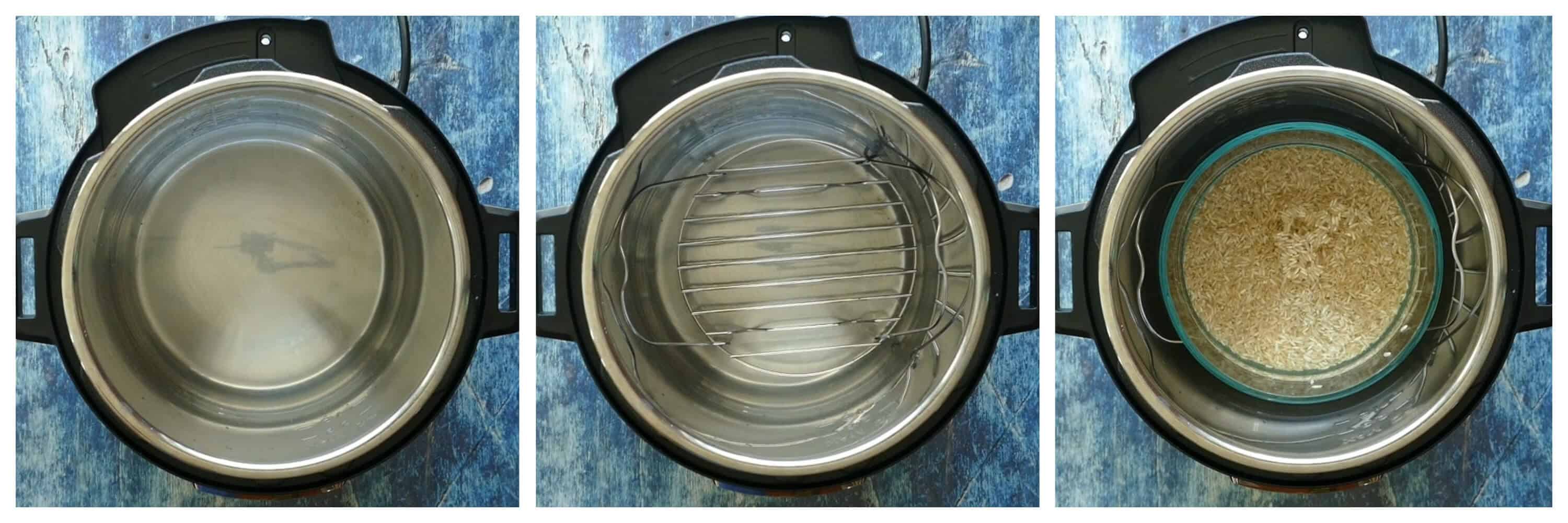
Cook dishes with thick sauces, starchy foods or very little liquid using the pot-in-pot (PIP) method. You cook the food in a container set on a rack, with water in the inner pot underneath.
As long as there’s water in the inner pot, the food never touches the bottom, so it can’t scorch there.
Raise the Food on a Trivet
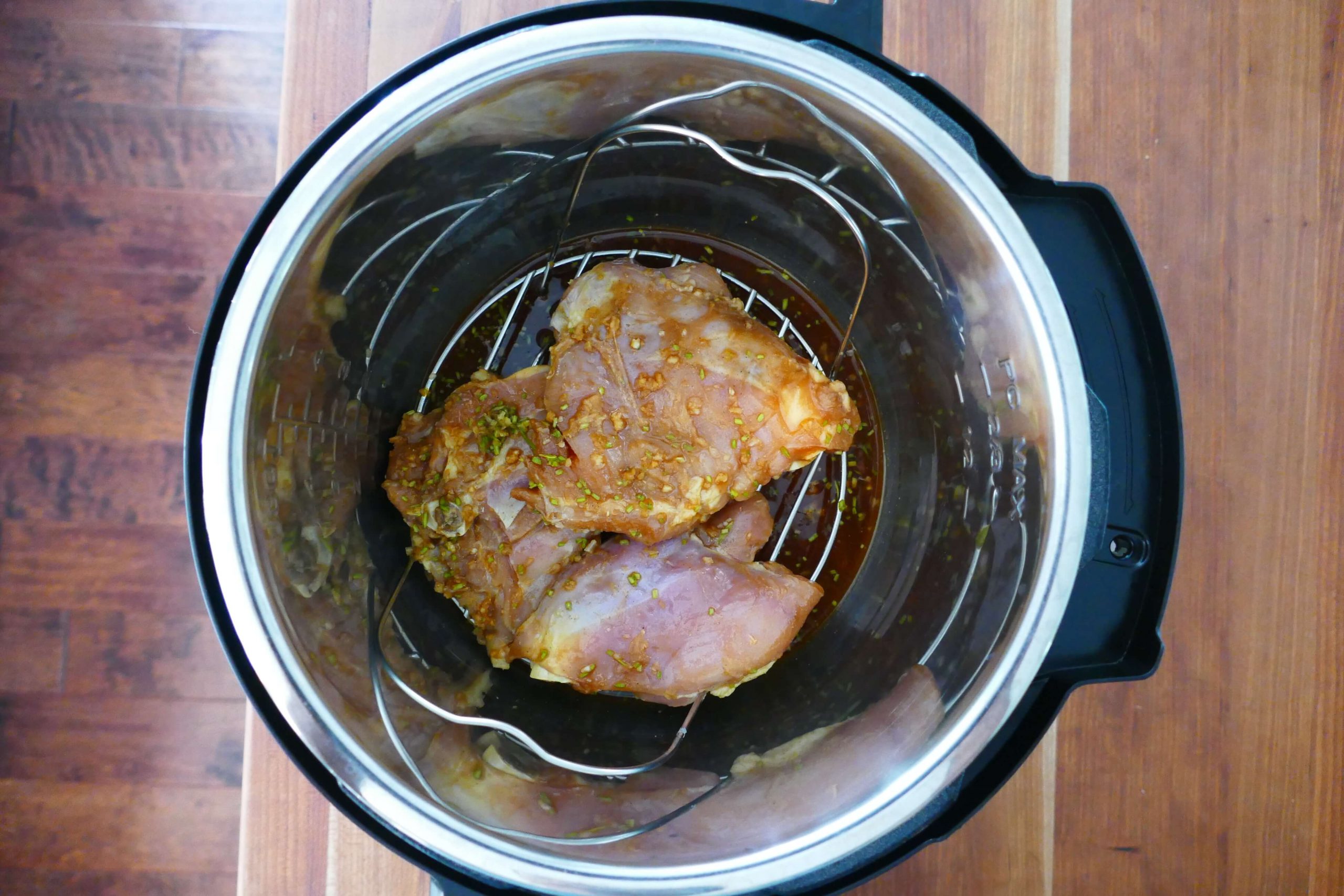
I often set the food I’m pressure cooking, especially meat, on a trivet to lift it a little, so the liquid can cover the bottom of the inner pot. This works really well when a recipe has less liquid.
Grease the Inner Pot
Use cooking spray or oil to grease the inner pot before you start. It can help keep food from sticking to the bottom. This is especially helpful with rice.
🧽 How to Clean a Scorched Inner Pot
For most burnt-on bits, very hot water and a good scraping will get the job done. For a stubborn scorch, pour about 1 inch of water into the inner pot, add 1 tablespoon of baking soda and let it boil in Sauté mode for 15 to 20 minutes. Scrape the bottom well, then use Bar Keeper’s Friend to remove anything that’s left.
❓ FAQs
Sometimes. My Instant Pot occasionally says Food Burn and then the display goes back to On. If that happens, you can let it keep cooking. You’ll probably have some food stuck on the bottom, but you should be able to save most of it. If the burn message persists, follow the steps to identify and fix the problem.
Not while the burn message is on the display. It doesn’t switch itself off, but it stops heating so the food doesn’t scorch any further. If the display goes back to On, it’s heating again. If it stays on Burn, fix the cause and start pressure cooking again.
No. The burn message is a safety feature, so there’s no way to override or bypass it. Open the lid, clean out the inner pot, add more liquid and start pressure cooking again.
The sensor reacts to heat at the bottom of the inner pot, so a thin layer of stuck food, a thick sauce that isn’t circulating or too little thin liquid can set it off before anything actually burns. Scrape the bottom clean, add thin liquid and start again.
Rice soaks up liquid and its starch settles on the bottom. Rinse the rice first and make sure there’s enough water for the amount of rice.
Many foods (e.g. vegetables, meats) release liquid and that counts toward the minimum liquid requirement. My Asian pulled pork recipe and chorizo and potato recipe are good examples. They have less than the minimum required liquid but come to pressure with no issue.
The fire symbol (a flame under a pot) is present on some models. It is not the same as the burn error. It just means that the heating element is on and the Instant Pot is cooking.
It may have said Turn Food, not Burn Food. On models that air fry, Turn Food is a reminder halfway through to flip the food. At a glance it’s easy to read as Burn Food.
No. Keep Warm only kicks in after the cooking time ends, so it has nothing to do with the burn message or with coming to pressure.
Learn more about your Instant Pot…
- Natural or Quick Release: What is Instant Pot natural release vs quick release and when should you use them?
- Instant Pot Tips and FAQs: What are Instant Pot frequently asked questions?
- Instant Pot Not Sealing: Why is your Instant Pot not sealing and what can you do to fix it?
- Common Instant Pot Problems: This Instant Pot troubleshooting guide explains common problems and errors and how to solve them.
- Error Codes: A comprehensive list of Instant Pot error codes that appear in the different models of Instant Pot
✅ Why Trust Neena at Paint the Kitchen Red?

I’ve used pressure cookers all my life and have been cooking in an Instant Pot for more than 10 years, on most of the models the Instant company has made. Since 2016 I’ve answered hundreds of reader questions about burn messages, sealing problems and error codes. Everything on this page comes from what’s actually worked in my kitchen.
➡ New to the Instant Pot? Get my Instant Pot instructions for beginners.



Michael (no saute) says
Neena, thank you for the wonderful recipes. I make them all but with major modifications. I am obsessive- compulsive workaholic with limited time 3 quart ultra. Live alone with occasional guest. I get home around 5pm and watch the news (BBC) at 5:30. So, I have about 1/2 hour to change clothes, make a drink (martini or negroni) and prepare dinner. I cannot accomplish this if I saute. I know that I am missing out on some flavor but it works for me. I just throw everything in, push the button at 5:29, and chill in front of the TV until 6 when dinner is ready. Another 1/2 hour of leisure and bak to work. Works for me! Thank you again.
Paint the Kitchen Red says
Wow, thank you Michael! I have to say your comment is one of the most unique and fun ones I’ve received. Thank you so much for taking time to share. You made my day 🙂
Lynne says
After 2 yrs of ip use, I got the dreaded burn notice. I had tried to make a whole chicken in tomato sauce, onions and mushrooms, wine and spices. I kept getting the burn notice and leaking steam, I ended up putting the still raw bird in the oven to finish. I then brought the sauce to a boil on the stove. I think there were three things I did wrong. I will try it another time using wine and extra water on the bottom, the trivet, and keep the tomatoes on top of the bird. It did make the best sauce I have ever made, and I learned from an excellent Italian cook. Thank you for this article, it is extremely helpful. I’ve been cooking for more than 70 years.
Paint the Kitchen Red says
Lynne, thank you for your comment. I’m glad you were able to get past the burn message and complete your meal. Your years of experience probably helped 🙂
Joe says
I have a different problem. After the on comes on the countdown timer does not happen. What am i doing wrong ? I am a new timer with IP.
Paint the Kitchen Red says
Joe, I would suggest doing a water test first, to eliminate any variables based on the recipe e.g. a large quantity of food takes a long time to come to pressure. Pressure cook 2 cups of water for 5 minutes. If the On doesn’t change to 00:05 within about 15 minutes, it’s possible that you have a defective unit. I would return it if that’s an option. Otherwise, open a support ticket with the company at support.instantpot.com
Nat Haight says
Detailed and very useful!!
Paint the Kitchen Red says
Hey Nat, glad you found it useful and good luck with avoiding the error in the future!
Shelley says
Thank you great info…now I have a better understanding
Paint the Kitchen Red says
You’re welcome, Shelley. I’m glad you found it helpful!
Connie says
Thank you for explaining the food burn error! Coming from a different brand epc, I didn’t panic, but was frustrated that this error is not even mentioned in the user manual! I made one pot pasta last night and had to stop 3 times because of the error. I released the pressure, stirred the stuck on food from the bottom and tried again. I think 1, it was too hot from sauteing meats and veggies before starting and 2, I had a lot of sauce, but also had broth and wine. My mistake I believe was stirring it all together including the pasta. Next time, I will pour the thin liquids on the bottom and “float” the heavier sauce. Also resist the urge to stir the pasta in! You can stir and taste test once the pressure cycle is done.
Thank you for the informative and thorough article.
Paint the Kitchen Red says
You’re welcome, Connie. Hopefully you’ll be able to avoid the error in the future.
wanda l abbott says
where can i get one
Paint the Kitchen Red says
Wanda, I’m not sure what you’re referring to.
Jan says
This was VERY helpful. Thank you!
Paint the Kitchen Red says
You’re welcome, Jan!
Michelle says
Thank you for explaining the burn message. I was nervous just trying out the instant pot and freaked when it showed the burn message. They really should put it in the instruction manual. I was ready to pack it up and return it.
Paint the Kitchen Red says
Michelle, glad to be of help 🙂
Julie says
I am so glad I found this article! I am brand new to the instapot and pressure cooking world. I have made about 5 things in it so far and 3 of them have had the BURN notice. 🙁
I was shocked to see it the first time and then to find that NONE of the “instructions” that it comes with, tells you what to actually DO when it happens. No talk of how to deglaze or why you need to deglaze. I couldn’t believe it. And searching for help on the internet can be just as frustrating because as I am sure you know, there are plenty of people willing to help and while they are well meaning, some of them are just doing it wrong! Lol
I will be looking for more of your articles and recipients now that I have found you. The 3 dishes I had issues with are:
Chicken and Rice- Garlic Parmesan
Buffalo Chicken Dip
Beef Stroganoff
I’d really like to try the chicken and rice again but afraid of it now lol. Any hints or tricks?
Thanks!
Paint the Kitchen Red says
It is very frustrating! Without knowing the details of the recipe I can give you general advice about the chicken and rice: don’t stir in the rice, just add it in at the end and push down gently. You may also want to add some extra water/broth. Check out my Instant Pot Jambalaya recipe for ideas on how you can adapt your recipe using the technique in my recipe. Thanks for your comment!
Laura L. says
Thank you for this article! Every time I use tomato paste I get the BURN notice. Couldn’t figure out how to get around it and still use it to get that deep flavor I like. Now I’ll just put it on top before I seal the pot!
Paint the Kitchen Red says
I used to be skeptical about just pressure cooking tomato paste on the top, but find that it works quite well. Glad to be of help 🙂
David S Laker says
It’s been almost a year since I posted my comment regarding the BURN message/problem.
The original IP did not have such a function and I never had a problem. The 2018 model has the BURN notification. WHY? I cannot duplicate my perfectly satisfactory recipes done in the older version in the new model. Why would a manufacturer add a wrinkle like this? Has there been any investigation? Something stinks.
Paint the Kitchen Red says
David – I believe they did it because in the old models if something was burning, it would start counting down even when the Instant Pot didn’t pressurize. But I understand what you’re saying, they need to make it smarter maybe?
Cindy Thompson says
This article is great; however, I think my issue might actually be a defective IP. I was sauteing some cubed chuck roast for a soup and the burn notice came on (while sauteing). I turned the pot off and added some liquid (about 2 cups) to deglaze it. I turned it back on and almost immediately the notice came back on. I tried turning off, unplugging and scrapping the bottom 4 or 5 times and the notice came on immediately each time. I ended up cooking my soup on the stove. I cleaned the IP thoroughly. This was about 5 days ago. Yesterday I was going to hard boil some eggs and the IP immediate gave the burn notice. The pot wasn’t even hot yet. I think I’m going to have to get a new IP. 😢
Paint the Kitchen Red says
Cindy, I’m so sorry this has happened to you. But it definitely sounds like a defective Instant Pot. So frustrating!
Marsha Eckels says
Hi….. I came across your article by accident. I’m a cook from way back. Last Christmas I received a 8 qt IP as a gift. Circumstances of the new year had me moving about these last several months, so I haven’t used the pot as of yet. After reading your article , I have decided to regift the pot to someone else. Having been a blue ribbon chef for the past 70 years allows me a trick or two for making many meals quickly n delicious at the finish line. This IP sounds like a headache waiting to happen ..what a very nice person u must b trying to explain all of this to IP enthusiasts. Perhaps the manufacturer should step forward n send a book to everyone that buys one of these pot. It should b called “The dos n don’t do with your IP”… plus an address to ship back for a full refund. LOL. Good luck to u.
Paint the Kitchen Red says
Hi Marsha, pressure cooking is great for cooking eggs, rice, pulses/beans, and of course tougher cuts of meat. You might be pleasantly surprised if you try it out. But yes, there are do’s and don’ts for sure!
David J says
I also think the manufacturer should allow me the option of bypassing the burn notice and continue cooking my food. When I get the burn notice I don’t know how long my food has been cooking or how much longer to continue cooking it. It should be the users decision to continue cooking if there is a burn notice.
Nancy says
The instructions I have seen say to some or rinse rice become cooking. I have not seen you mention that. Is that necessary in all rice dishes? I also get burn notice when I cook a rice, chicken and veg combination.
Paint the Kitchen Red says
I generally do rinse my rice when I’m making it plain. When I’m making it with spices, I often rinse but do occasionally skip the rinse. If you’re getting a burn error, put the liquid in first, then the veg, and finally rice and don’t stir the rice in. See if that gives you better results. I would add more liquid if you still get the burn.
DSHEPP says
Hi Neena,
I have an Ultra 6qt. and I’ve tried both your “easy spaghetti” and “penne with sausage” recipes, and both times got the dreaded “burn” error. It’s my fault that I should have read further on your website (I just printed the recipes). But next time I will let the inner pot cool down after sauté, layer ingredients, add tomato based products last, don’t stir, and add an extra 1/4 cup liquid (if needed).
Thank you for all the great info here, I was able to salvage both meals and they were still the best spaghetti I’ve ever made, and the penne with sausage was better than East Side Mario’s (which was what I was trying to accomplish @ home), so thank you for the recipes.
P.S. I will update your website my 2nd attempt on both recipes, as they are that good.
Paint the Kitchen Red says
Hi there – you’re very welcome! I’m sorry you had some troubles but glad to hear that you were able to salvage and enjoy the meals! Once you get the liquid quantity right, and follow those suggestions, you’ll be all set to make these recipes again and again – feel free to shoot me an email if you continue to have troubles. And thanks for the lovely comment 🙂
Paul Nielsen says
How annoying. Spent the last hour trying to get chicken and rice to cook and repeated burn message. Gave up and went to the oven. Instant pot ended up making cooking time twice as long and more dirty pans to wash as well. I guess I should just use it to sterilize water
Paint the Kitchen Red says
Sounds very frustrating, Paul. Did you stir in the rice or did you leave it on top? It might help to not stir it in.
Kay says
I’m a newbie. Reason 1 solved my problem. Thanks.
Tracy says
Thank you for this! I’ve had my IP for over a year and had never gotten the burn notice. I tried restarting 2 times, got the same results. I deglazed the itty bit that was there, ( I hadn’t seared or sautéed anything) but I’m pretty sure putting the roast on The trivet was the trick!
Paint the Kitchen Red says
Yes, that trivet trick was something I discovered a year after getting my Instant Pot!
KGaylin says
Thank you so much for your instructive Instan Pot videos and posts. This latest one on The Burn message explained why I got this signal after sautéing on Hot. I will modify future sautés to medium and allow a cool down period in the future. Incidentally, your instructions are much better than the company’s own documentation.
Paint the Kitchen Red says
I’m happy to be of help – thanks for your kind words 🙂